STEM & Learning

8 Best Electronic Circuit Kit 2026: For Every Age and Skill Level

Which circuit kit will actually engage your child without frustration? From snap-together for young kids to Arduino for teens, find the right match for your child's age and skill level.

Many electronic circuit kits promise hundreds of projects, but the reality often involves broken parts or confusing manuals. The right choice depends on your child's age and patience level - a snap-together kit may last for years of play, while an Arduino kit opens up real programming if you are ready to troubleshoot.

For younger children, durability and clear, picture-based instructions matter more than component count. For older hobbyists, a large selection of sensors and a microcontroller matter more than snap-together convenience. Knowing these trade-offs ahead of time saves money and frustration.

#1

Snap Circuits Classic SC-300

Snap Circuits Classic SC-300

Kids age 8+

Doodle Score 9.6/10
Check Price

Worth Noting

  • The storage box can be flimsy
Projects
300
Durability
Age & Safety
8+ no soldering
Circuit Type
Snap-together
Read the full review

300 projects in a single kit – more than any other standard Snap Circuits set – cover everything from simple switches to radios and alarms. The color-coded pieces snap together without tools or soldering, and the full-color manual guides each build step by step.

Pieces stay connected during normal handling and the base grid holds components firmly. Repeated building and rebuilding over months has not loosened the snap fit, and the manual's progressive difficulty keeps interest high without frustrating beginners.

Best for kids 8+ who enjoy building, families wanting an open-ended STEM activity, and educators. No computer or programming is required, so it suits a pure, tactile learning experience. Those seeking programmable logic or advanced soldering will want to look elsewhere.

Bottom line: For a long-lasting, tool-free introduction to electronics with hundreds of projects, this kit is the standard.

#2

NatGeo Circuit Maker

NatGeo Circuit Maker
Doodle Score 9.6/10
Check Price

Worth Noting

  • Lack of user reviews means quality and durability cannot be confirmed before purchase.
Read the full review

This National Geographic Circuit Maker Kit packs 120 snap-together projects and uses QR-coded video instructions instead of a printed manual – no tools required. The brand name and project count are promising, but unlike kits with established user feedback, this one has no review data to confirm component quality or long-term durability. Buyer risk is higher than for more proven options like the Snap Circuits SC-300.

Bottom line: Best for buyers who want a brand-name kit with many projects and are comfortable taking a chance on a product without verified feedback – otherwise consider the more established Snap Circuits SC-300.

#3

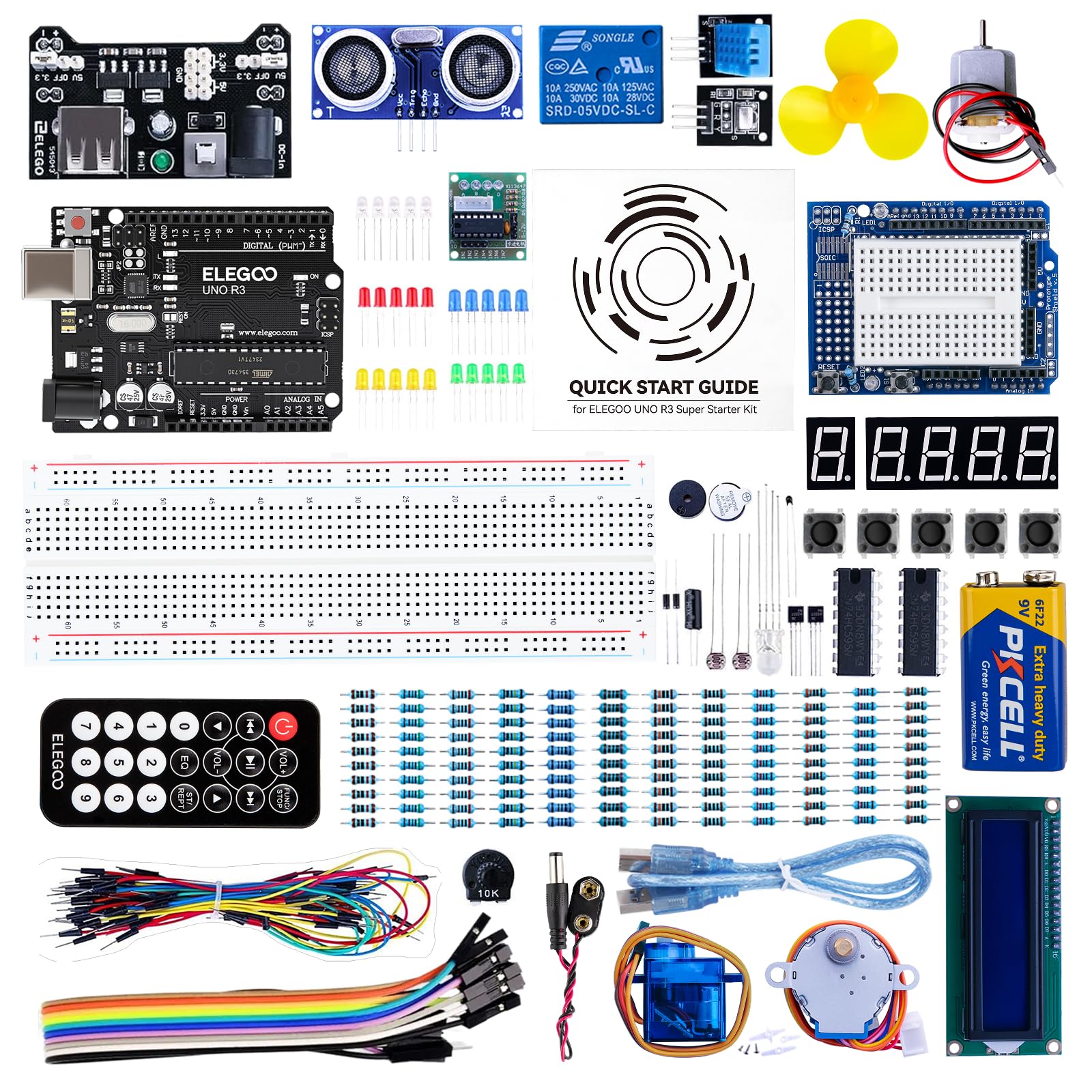
ELEGOO UNO Super Starter

ELEGOO UNO Super Starter

Teens & Adults

Doodle Score 9.4/10
Check Price

Worth Noting

  • The written tutorials can be too brief on certain topics, often requiring external guides.
  • Occasional UNO R3 boards have been reported to stop functioning after limited use, so testing early is wise.
Projects
22+ lessons
Durability
Possible defective boards
Age & Safety
10+ with computer
Circuit Type
Arduino UNO
Read the full review

The ELEGOO UNO Super Starter Kit centers on 22 PDF tutorials that guide through electronics and coding in sequence, offering a more structured path than kits that prioritize component quantity over instruction. While the Most Complete kit supplies more hardware, this kit ensures each new sensor or display arrives with a project to demonstrate its use.

This kit targets teens and adults ready to learn Arduino programming and circuit building. Absolute beginners should note that some tutorial steps assume prior knowledge, so planning to reference online forums or video walkthroughs will fill in the gaps. A small number of UNO R3 boards may arrive with issues, making early testing a prudent habit.

Tip: When a step is unclear, search for ELEGOO official code examples or Arduino beginner tutorials on YouTube.

Bottom line: A cost-effective entry into Arduino learning if you are comfortable supplementing the included tutorials with online resources.

#4

Snap Circuits Beginner

Snap Circuits Beginner

Young Kids 5-9

Doodle Score 9.4/10
Check Price

Worth Noting

  • Fan and light module can stop working after a few uses
  • Some units ship with a non-operational fan or LED module
Projects
21
Durability
Fragile fan/light
Age & Safety
5-9 no soldering
Circuit Type
Snap-together
Read the full review

Snap Circuits Beginner is the rare electronics kit that genuinely meets a five-year-old where they are. The parts are large, color-coded, and snap together without tools; the manual relies on pictures rather than text, so a child can follow along with minimal reading. This makes the 21 included projects accessible in a way that most other circuit sets cannot match for the youngest builders.

That tailored design comes with a tradeoff. The fan and light module is the most exciting part of the kit, but it can stop working after a handful of uses, and some units arrive with the module non-operational out of the box. This kit is best for families who plan to work through the projects with a child and are comfortable with the possibility that the module may need replacement sooner than expected. For older kids or those who want a more durable, project-rich experience, the standard SC-300 line is a better fit.

Tip: Test the fan and light module immediately after opening; if it works, handle gently to prolong its life.

Bottom line: The best option for introducing very young children to circuits with adult guidance, provided you are willing to accept the potential for early module failure.

#5

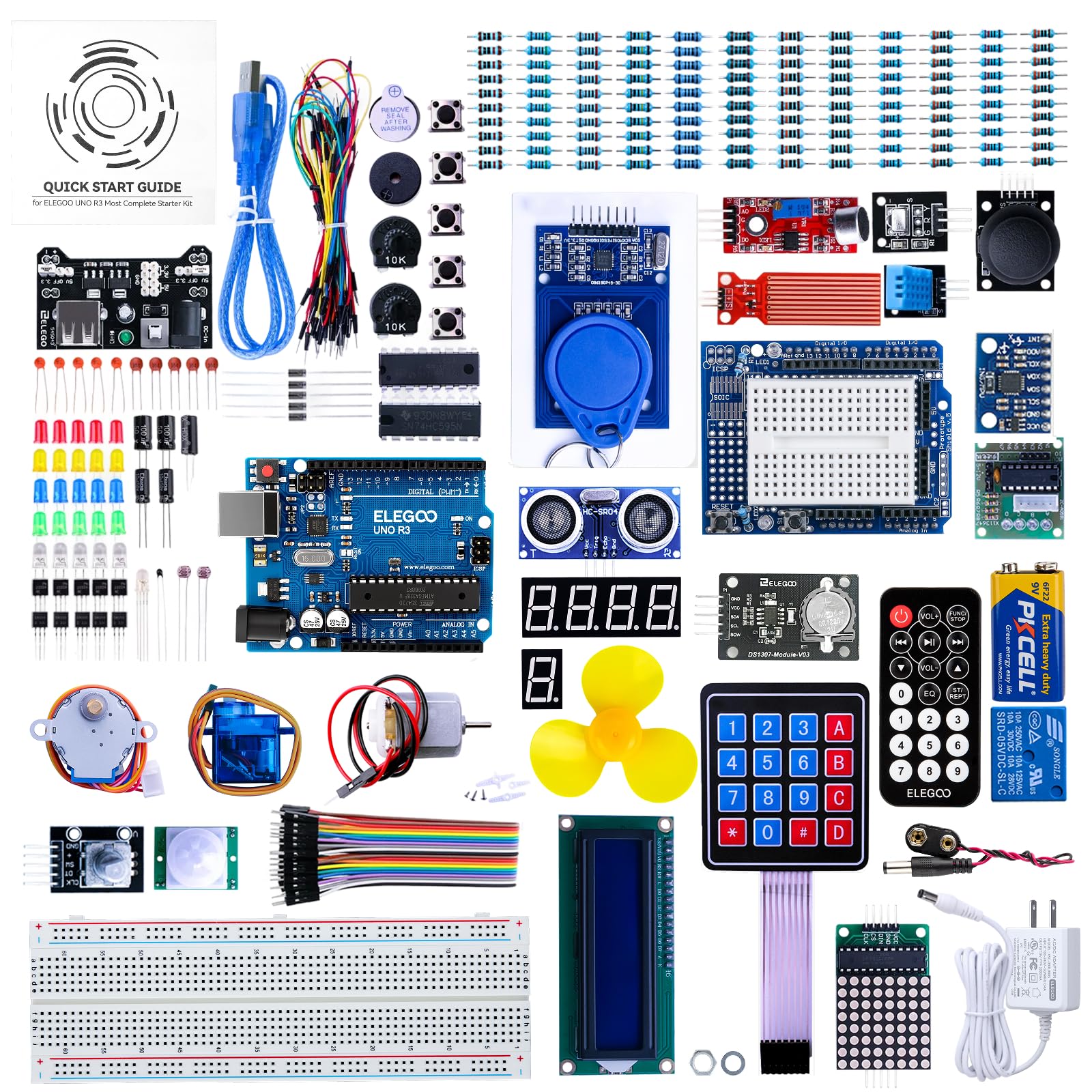
ELEGOO UNO Most Complete

ELEGOO UNO Most Complete

Experienced Hobbyists

Doodle Score 9.4/10
Check Price

Worth Noting

  • For someone learning electronics from scratch, the included tutorials have gaps and mistakes that can stall progress
  • A small number of components can arrive non-functional or stop working sooner than expected
Projects
30+ lessons
Durability
Defective parts possible
Age & Safety
12+ with computer
Circuit Type
Arduino UNO
Read the full review

With over 200 components packed into a compartmentalized storage case — including an LCD screen, ultrasonic sensor, RFID module, and motor — this kit delivers more parts per dollar than any entry-level Arduino set. The variety lets hobbyists tackle projects ranging from simple LED circuits to sensor-based gadgets without buying extra parts.

This kit suits hobbyists who already have some electronics experience and want a large parts library for experimentation. The included tutorials have errors and omissions, so complete novices would be better served by a more guided kit like the entry-level alternative. For those comfortable troubleshooting or using online resources, the component variety offers excellent value.

Tip: Search for online Arduino project tutorials to fill in the gaps left by the included manual.

Bottom line: Best for experienced hobbyists who want maximum component variety per dollar and are comfortable supplementing tutorials with online resources.

#6

REXQualis Component Kit

REXQualis Component Kit

Budget Makers

Doodle Score 9.2/10
Check Price

Worth Noting

  • Some push buttons have pin spacing that may not fit standard breadboard rows
  • Power supply module can be unreliable in some cases
Projects
None
Durability
Power supply may fail
Age & Safety
12+ small parts
Circuit Type
Component kit
Read the full review

400+ pieces including an 830-tie-point breadboard and a USB-powered supply for under $20 – that ratio of parts per dollar is hard to beat. This pack is built for people who already have a microcontroller (Arduino, Raspberry Pi, STM32) and just need a bulk bin of resistors, capacitors, LEDs, and sensors to breadboard ideas.

This kit suits hobbyists on a tight budget who want to stock a parts drawer without breaking the bank. The components come in a compartmentalized case with labels, making retrieval straightforward. Two caveats: some push buttons have pin spacing that doesn't align with standard breadboard rows, and the included power supply has been noted to be inconsistent in a minority of units. For the price, these are acceptable tradeoffs for anyone focused on value over polish.

Tip: Test the power supply before using it in a project; keep a spare breadboard power module on hand.

Bottom line: The REXQualis kit is a pure parts supplement for makers who already have a controller and can accept occasional component quirks – unbeatable value for the volume.

#7

ELEGOO Fun Kit

ELEGOO Fun Kit

Budget Makers

Doodle Score 9.2/10
Check Price

Worth Noting

  • Does not include a microcontroller board
Projects
None
Durability
Small breadboard weak power
Age & Safety
12+ small parts
Circuit Type
Component kit
Read the full review

At under $10 for 235 components, this pack delivers the lowest cost-per-part for Arduino hobbyists. The breadboard has only 400 tie-points, restricting it to small circuits, and the power supply module can be problematic for extended use. This makes it a poor fit as a primary learning kit; it works best as a component refill if you already have a larger breadboard and a separate power source.

Bottom line: Best as a budget component refill for makers with existing gear, not as a primary learning kit.

#8

BOJACK Component Kit

BOJACK Component Kit

Budget Makers

Doodle Score 9.0/10
Check Price

Worth Noting

  • Some components (like capacitors) may be missing from the kit
  • Power supply board may feel flimsy and show signs of corrosion over time
Projects
None
Durability
Missing/flimsy parts
Age & Safety
12+ small parts
Circuit Type
Component kit
Read the full review

The BOJACK kit offers 480 pieces and an 830-point breadboard for a low price – a high component count per dollar. However, some units may arrive with missing components like capacitors, and the power supply board feels flimsy with possible corrosion over time. For hobbyists needing cheap bulk parts, this works; but beginners looking for a complete, reliable kit should consider the REXQualis alternative.

Bottom line: A cost-effective component stash for makers who already own a microcontroller and can tolerate occasional missing parts – not a starter kit for those expecting every piece to be present.

How to Choose

Number of Projects

More projects aren't always better. A kit with 300 projects may overwhelm a beginner who just wants to make a light blink, while a 20-project kit can feel limiting after a weekend. Focus on the depth of the learning sequence, not just the count. Kits with fewer but well-scaffolded projects often build more confidence.

For young children, a manageable number of projects (20-30) allows repetition and mastery. For older kids or hobbyists, a large project library provides variety to explore different circuit concepts over months.

Age and Safety

Safety and age-appropriate design go beyond the label. Snap-together kits eliminate soldering and small wires, making them safe for younger kids. Arduino kits require a computer and reading ability - a 7-year-old will struggle, but a 12-year-old can follow along with help.

Look for kits with large, easy-to-handle parts for children under 8. Kits that require adult supervision should state that clearly. Component-only kits often contain small parts and are better suited for older teens or adults.

Circuit Type

The choice between a snap-together kit and a microcontroller-based kit determines the learning path. Snap kits teach basic circuit principles with zero programming - ideal for introducing concepts like series and parallel circuits. Arduino kits add coding, sensors, and interactivity, but require a computer and willingness to debug.

Component-only kits (without a microcontroller) are essentially a bag of parts. They are not a standalone learning tool. You need to buy a separate Arduino or Raspberry Pi and find your own tutorials. They are best as expansion packs for existing setups.

Instructions

Clear instructions are the difference between a satisfying win and a frustrating paperweight. Snap Circuits kits typically include a full-color manual with step-by-step pictures - even non-readers can follow along. Arduino kits often come with PDF tutorials that may have errors or assume prior knowledge.

If the intended user is a complete beginner, prioritize kits with well-reviewed instructions. Check recent reviews for complaints about missing steps or incorrect diagrams. Online video tutorials can supplement poor manuals, but that adds friction.

Durability

Electronic components are delicate, especially in budget kits. Snap-together modules with moving parts (fans, lights) are common failure points. Some Snap Circuits kits have fans that stop spinning after a few uses. Arduino boards can arrive with dead pins or fail after brief use.

Durability matters more if the kit will be used repeatedly or passed down. A slightly more expensive kit with robust components often costs less in the long run than replacing broken parts. For young children, look for kits with minimal moving parts.

Frequently Asked Questions