STEM & Learning

8 Best Coding Toys for Kids of 2026: Which Actually Teach Without Frustration

Find the coding toys for kids that reliably teach programming logic without constant app crashes or broken motors.

Many coding toys promise instant programming fun, only to deliver a robot that won't move or an app that crashes on setup. The gap between marketing and real-world reliability is unusually wide in this category, with nearly half of products suffering from dead motors or broken software.

That doesn't mean you have to settle for frustration. A small handful of toys genuinely teach sequencing, loops, and even text-based coding while actually working day after day. The trade-off often comes down to simplicity versus deeper learning: do you want a robot that rolls immediately, or one that requires a bit of building but unlocks real Arduino skills?

This guide cuts through the hype to highlight the coding toys that deliver on their promise — whether your child is five and needs screen-free logic or a teen ready for Python.

#1

LEGO Boost Creative Toolbox

LEGO Boost Creative Toolbox

LEGO building fans

Doodle Score 9.4/10
Check Price

Worth Noting

  • Premium price compared to other coding robots
  • App-only instructions require a compatible tablet; no paper manual included
Reliability
App compatibility issues
Coding Method
LEGO Boost app blocks
Age & Build Difficulty
7+, 30+ min build
Battery Life & Charging
Read the full review

Iconic LEGO build quality meets drag-and-drop coding in a set that rewards curious builders. The five models (Vernie, Guitar4000, Frankie, AutoBuilder, M.T.R.4) each respond to sensor input, making programming feel playful. The premium price positions it as an investment for families already in the LEGO ecosystem. The app provides both instructions and coding environment — no paper manual is included, and tablet compatibility should be confirmed before purchase.

Tip: Check the LEGO Boost app compatibility list for your tablet before buying.

Bottom line: Best for LEGO-loving families who value a premium, multi-model building and coding experience over a lower-cost alternative.

#2

Sphero Bolt Robot Ball

Sphero Bolt Robot Ball

Advanced coders

Doodle Score 9.4/10
Check Price

Worth Noting

  • Battery life may fall short of advertised duration for some users
  • App features can be limited on certain Android devices
Reliability
Battery shorter than advertised
Coding Method
Draw, Blocks, JS, Python
Age & Build Difficulty
8+, no assembly
Battery Life & Charging
Inductive charging
Read the full review

The Sphero Bolt sets itself apart from the Sphero Mini by offering real text-based coding languages — JavaScript and Python — alongside block programming. Its waterproof design and programmable 8x8 LED matrix provide sensory feedback that keeps learners engaged. This is a tool for kids 8 and up who are ready to move beyond drag-and-drop into actual syntax. The inductive charging base is convenient, but some users find battery life runs shorter than expected, and a subset of Android devices experience app compatibility problems.

Tip: Keep the inductive charging base accessible; battery life suits shorter coding sessions better than all-day use.

Bottom line: Sphero Bolt is the right pick for families or classrooms investing in a serious coding education tool — just plan for more frequent charging and check Android compatibility first.

#3

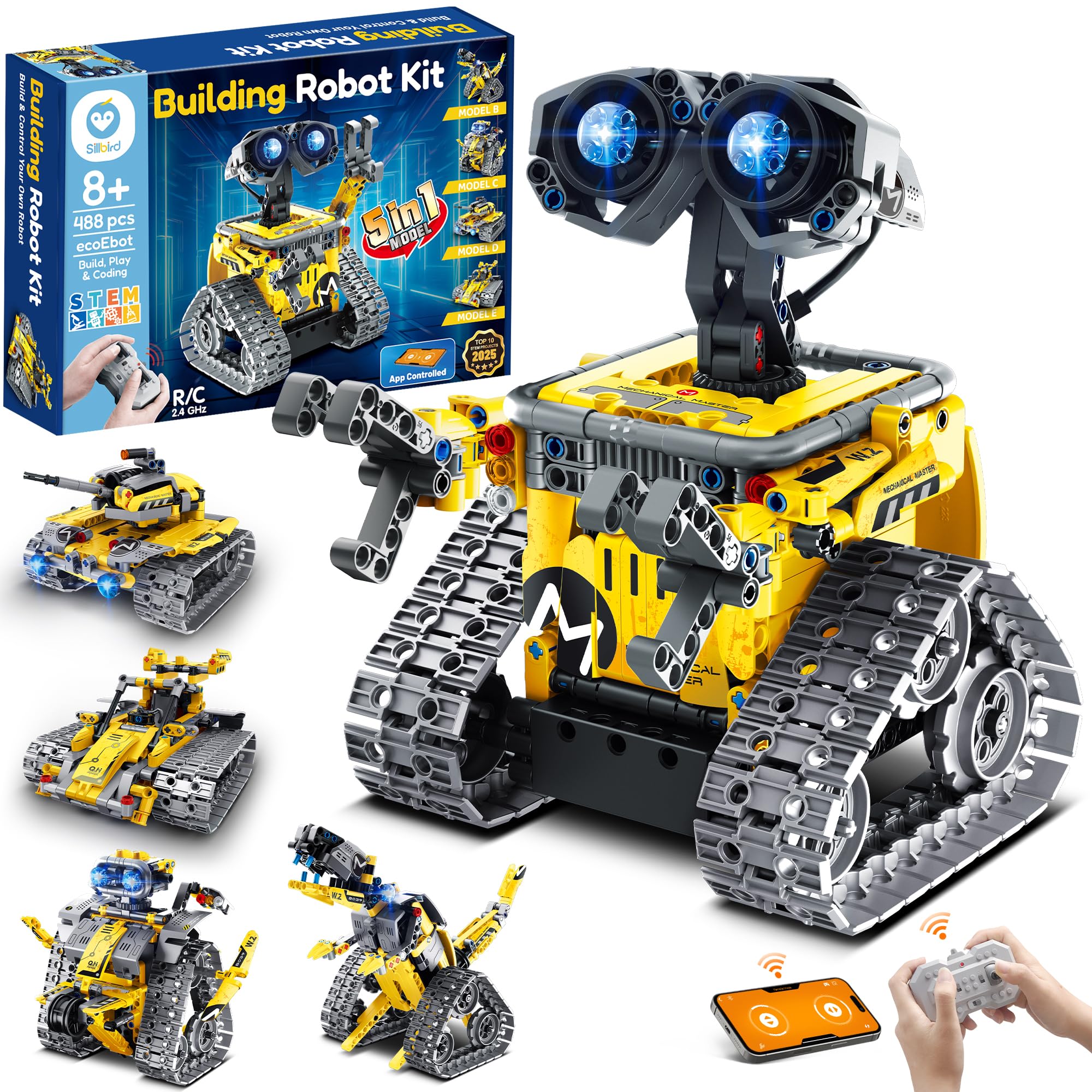
Sillbird 5-in-1 Robot Kit

Sillbird 5-in-1 Robot Kit

Multiple models

Doodle Score 9.4/10
Check Price

Worth Noting

  • App and remote connectivity can be unreliable
Reliability
Remote connectivity issues
Coding Method
App & remote control
Age & Build Difficulty
8+, challenging build
Battery Life & Charging
40 min per charge
Read the full review

The Sillbird kit gives kids 8+ five ways to build and play – robot, dinosaur, tank, car, and more – from a single set of 488 ABS pieces. Both remote control and a basic coding app are included, though Bluetooth pairing and response can be spotty in some cases. Assembly requires parent help for younger children, and the app’s coding depth is limited to simple command sequences rather than real programming syntax.

Bottom line: Best for families who want a low-cost, multi-model building experience and are willing to accept occasional connectivity quirks rather than a polished coding platform.

#4

Sphero Mini Robot Ball

Sphero Mini Robot Ball

App-based coding

Doodle Score 9.2/10
Check Price

Worth Noting

  • Bluetooth signal can drop when the device is more than about 10 feet away
  • On thick carpet the ball lacks enough power to roll effectively; best on hard floors
Reliability
Spotty Bluetooth over 10ft
Coding Method
Draw, Blocks, JavaScript
Age & Build Difficulty
8+, no assembly
Battery Life & Charging
1 hour per charge
Read the full review

The Sphero Mini packs three coding methods — Draw, Blocks, and JavaScript — into a durable, portable ball that rolls across hard floors and responds instantly to the app. Kids aged 8 and up can start programming movement and lights within minutes of opening the box, and the strong build quality means it survives drops and bumps without issue.

On hard surfaces the Mini is quick and responsive, but the Bluetooth connection can drop if the tablet or phone is more than about ten feet away. The ball also struggles to roll on thick carpet — it simply doesn't have enough power to push through deep pile. These limits matter less in a standard playroom or kitchen with tile or hardwood, where the robot performs well.

This robot suits families who want an immediate, app-driven coding experience without assembly or a steep learning curve. It is not the right choice for households with wall-to-wall carpet or for parents seeking a screen-free toy. The Sphero Mini is a solid entry point for kids who enjoy visual programming and quick results, rather than a tool for text-based coding or long-term durability testing.

Tip: Keep the play area on tile or hardwood and stay within arm’s reach of the controlling device for smooth Bluetooth performance.

Bottom line: If your house has hard floors and your 8+ year old wants a quick, fun coding toy, the Sphero Mini delivers without the frustration of setup or fragile hardware.

#5

Makeblock mBot Robot Kit

Makeblock mBot Robot Kit

Build and code

Doodle Score 9.2/10
Check Price

Worth Noting

  • Bluetooth connection to the mBlock app can be unreliable, especially on older devices
  • Assembly instructions lack the detail that beginners need for a smooth start
Reliability
Frequent pairing failures
Coding Method
Scratch & Arduino
Age & Build Difficulty
8+, 15 min assembly
Battery Life & Charging
Read the full review

The mBot's 15-minute assembly and metal construction offer a satisfying build experience, and the coding path from Scratch blocks to Arduino text is a genuine introduction to programming. Bluetooth pairing with the mBlock app can be finicky, so some patience is needed — this kit works best for kids 8+ with an adult ready to help troubleshoot. The instructions assume some prior knowledge, which can frustrate absolute beginners.

Tip: Update the mBlock app and check device compatibility before first use to minimise pairing issues.

Bottom line: A strong learning tool for kids who enjoy building and have some adult guidance — the Bluetooth hiccups are manageable with patience.

#6

Botley the Coding Robot

Botley the Coding Robot

Screen-free logic

Doodle Score 9.2/10
Check Price

Worth Noting

  • Some units may develop motor or sensor issues after months of use
  • 90-degree turns are not perfectly precise, making maze navigation less reliable
Reliability
Motor issues after months
Coding Method
Screen-free remote
Age & Build Difficulty
5+, no assembly
Battery Life & Charging
Read the full review

Botley teaches coding through a simple remote programmer and obstacle detection, letting young children build sequences of up to 80 steps without a tablet or phone. This makes it a strong alternative to app-based robots like the Sphero Mini for families who want to avoid screen time. The toy is best for kids ages 5 to 10 who are ready to learn logic and problem-solving through hands-on play. Some units may develop motor or sensor issues after extended use, and 90-degree turns can be imprecise, which affects maze navigation.

Tip: Use on a flat, smooth surface to improve turning accuracy.

Bottom line: Best for families seeking a screen-free coding introduction for young children, but those who want app-based play with higher turn accuracy might prefer the Sphero Mini.

#7

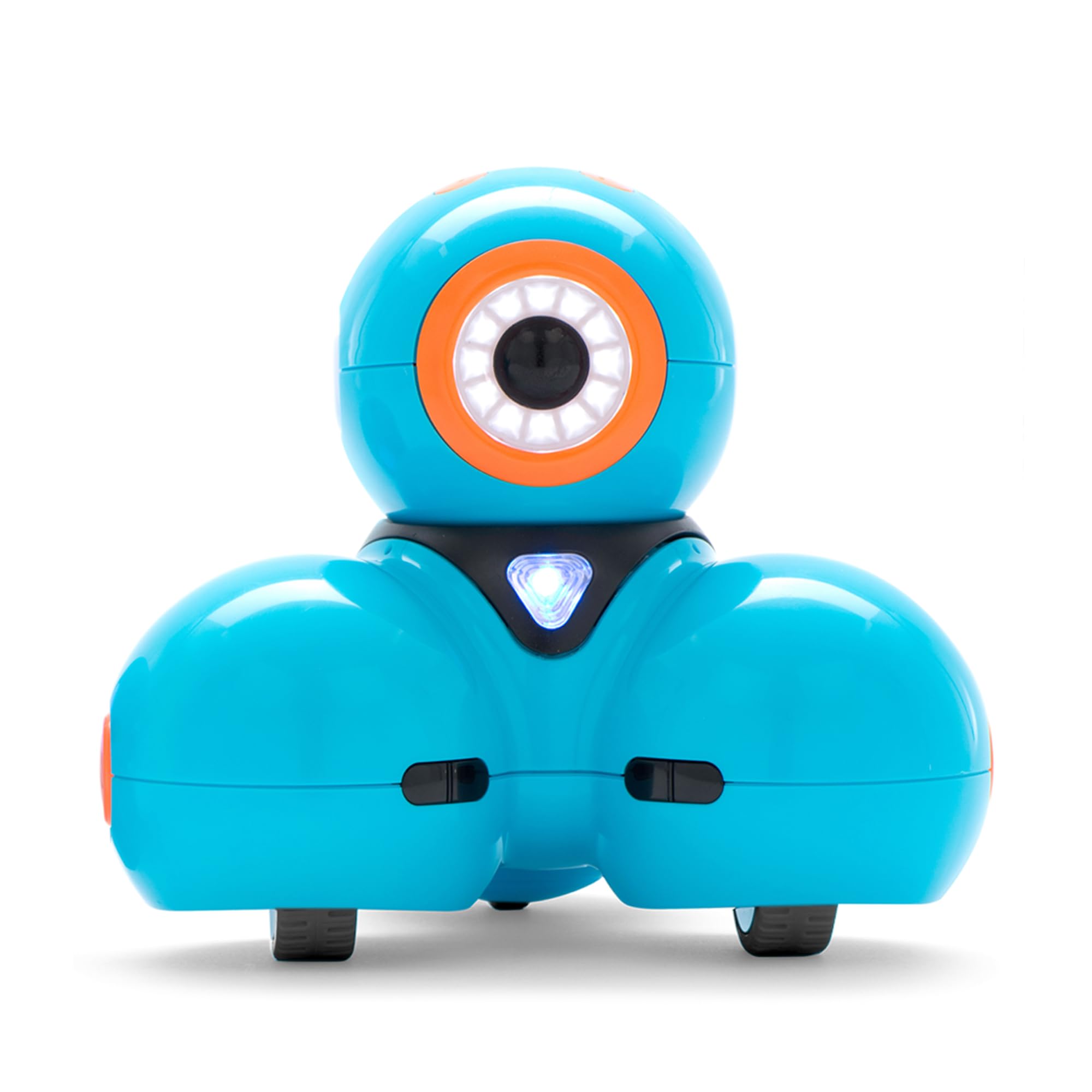
Wonder Workshop Dash Robot

Wonder Workshop Dash Robot

Voice-activated play

Doodle Score 9.2/10
Check Price

Worth Noting

  • Wheels and motors may stop working after about a year of regular use.
  • App compatibility problems with newer tablets and phones can lead to crashes or dropped connections.
Reliability
Wheel failures after year
Coding Method
Blockly, Wonder, Path
Age & Build Difficulty
6+, no assembly
Battery Life & Charging
5 hours
Read the full review

Dash works straight out of the box with voice commands and five coding apps, making it the most immediate coding robot for kids 6+. The tradeoff: motor and wheel issues may surface after extended use, and app compatibility with newer tablets can be spotty — areas where the top pick maintains a stronger track record.

Best for families wanting a quick, app-driven coding introduction for ages 6 and up. Not for buyers needing a rugged robot that will last years or who want to avoid screen dependency.

Tip: Check app compatibility for your device before buying, and consider keeping a backup tablet for consistent performance.

Bottom line: For a no-hassle, voice-controlled coding robot that gets kids started fast, the Dash Robot is a good fit — as long as you're prepared for possible app updates and eventual motor wear.

#8

ELEGOO UNO R3 Robot Car Kit

ELEGOO UNO R3 Robot Car Kit

Teens & robotics

Doodle Score 9.2/10
Check Price

Worth Noting

  • Pre-programmed demo code can be unreliable out of the box, sometimes requiring code reflashing
Reliability
Demo code unreliable
Coding Method
Arduino (C++) USB
Age & Build Difficulty
12+, 30-60 min build
Battery Life & Charging
Rechargeable Li-Ion
Read the full review

This kit offers a thorough introduction to Arduino robotics with real C++ code, multiple sensors, and expandability. The included pre-programmed demo may need reflashing, and the instructions assume familiarity with electronics — a teen with a patient adult mentor will get the most out of it. It is a deeper learning tool than the top picks, but the setup hiccups and required guidance make it better suited for motivated learners rather than casual play.

Bottom line: Best for a teen who wants a serious Arduino project and has an adult available to help troubleshoot the initial setup.

How to Choose

Coding Method

Screen-free toys use physical buttons or tiles to create sequences — great for ages 4-6 but limited in complexity. App-based blocks (Scratch-like) offer a middle ground: visual, immediate feedback, but require a tablet. Text-based languages (JavaScript, Python, Arduino C++) unlock real programming but demand stronger reading skills and patience.

The hidden trade-off: app-dependent robots become useless if the manufacturer stops updating the software. Check recent reviews for app functionality before buying any connected toy.

Age & Build Difficulty

Age ratings are guidelines, not guarantees. A 5-year-old can follow simple button sequences on a screen-free toy, while an 8-year-old may struggle with a complex 500-piece build without adult help. Assembly time directly correlates with learning depth — kits that require building (like mBot or ELEGOO) teach hardware understanding but add friction before play.

For young kids, zero-assembly robots (Sphero Mini, Dash) provide instant gratification. For older kids, the act of building reinforces how code controls physical actions.

Reliability

Motor failures, Bluetooth dropouts, and dead-on-arrival units are the top complaints in this category. A robot that stops moving after a week teaches frustration, not coding. Look for products with metal chassis and proven track records — plastic gears and cheap motors are the usual failure points.

The best indicator of reliability is the proportion of recent reviews reporting hardware issues. Sphero and Makeblock consistently have lower defect rates than lesser-known brands.

Battery Life & Charging

A coding session rarely lasts more than 30-45 minutes, so a 1-hour battery is often enough for daily use. Rechargeable batteries (built-in Li-Ion) are far more convenient than replacing AAs every few days. Inductive charging (Sphero Bolt) eliminates port wear but adds cost.

Note that advertised battery life is often measured under minimal load — actual runtime can be 20-30% shorter when the robot is moving continuously or using sensors.

Expandability

If your child might outgrow the basic set, choose a kit that supports add-on sensors, extra motors, or open-source platforms like Arduino. The mBot and ELEGOO car kit can be expanded with hundreds of third-party parts. Most sealed robots (Sphero, Dash, Botley) are locked into their built-in capabilities.

Expandability matters most for kids 10+ who may want to build a line-following robot or integrate a distance sensor. For casual play, it's unnecessary.

Frequently Asked Questions