STEM & Learning

7 Best Learning Tablet for Kids 2026: Models with 2-Year Guarantees and Proven Content

Find a kids tablet that survives drops, delivers real educational content, and doesn't die within months. We cut through inflated specs to show which ones hold up.

Many kids tablets promise long battery life and durability, but real-world use often tells a different story. Parents find that a tablet that dies within months or struggles to hold a charge turns a helpful learning tool into frustration.

The problem isn't that no good tablets exist — it's that marketing specs don't match what happens after a few weeks of toddler use. Some brands rely on inflated RAM numbers and virtual expansions that don't translate to real performance. Others offer solid hardware but lack the warranty to back it up.

The best learning tablets balance screen size, content, and parental controls with a guarantee that takes the risk off your shoulders. That warranty, more than any spec, determines whether a tablet is a smart buy or an expensive lesson.

#1

Amazon Fire HD 10 Kids

Amazon Fire HD 10 Kids

Ages 3-7

Doodle Score 9.2/10
Check Price

Worth Noting

  • Screen can crack from hard impacts despite the protective case
  • Battery life may fall short of 13 hours under heavy gaming or streaming.
  • Units can experience intermittent glitches or malfunctions; the two-year replacement policy addresses this.
Screen Size
10.1" 1080p
Battery Life
Up to 13 hours
Parental Control
Amazon Kids+
Preloaded Content
Amazon Kids+ library
Read the full review

The 10.1-inch 1080p screen provides clear visuals for videos and interactive apps, with enough brightness for most indoor settings. The 3 GB RAM supports smooth navigation through the kid-friendly interface and typical educational apps.

In daily use, the bundled protective case adds grip and absorbs minor bumps, though some children may still manage to crack the screen if dropped from a height onto hard surfaces. Battery life can reach the advertised 13 hours during light use like reading or video with moderate screen brightness, but heavy gaming or continuous video streaming may drain it noticeably faster.

This tablet suits parents of children ages 3-7 who want a large screen for shared learning and entertainment, plus a robust library of ad-free content through Amazon Kids+. The included two-year replacement warranty means that if a unit develops a glitch or malfunction, the replacement process is straightforward — a practical buffer against the occasional reliability variance that can appear with any electronics.

Tip: Battery life is best preserved by lowering screen brightness and limiting high-performance games to shorter sessions.

Bottom line: For parents seeking a durable, large-screen kids tablet with a strong content library and a safety net against hardware hiccups, the Fire HD 10 Kids delivers at a competitive price.


#2

Amazon Fire HD 10 Kids Pro

Amazon Fire HD 10 Kids Pro

Ages 6-12

Doodle Score 9.2/10
Check Price

Worth Noting

  • Screen may crack from drops despite the included case, especially on hard surfaces.
  • Battery life can be inconsistent, with some units draining faster than the 13-hour claim.
  • Isolated units may become unresponsive or require replacement under warranty.
Screen Size
10.1" 1080p
Battery Life
Up to 13 hours
Parental Control
Amazon Kids+
Preloaded Content
Amazon Kids+ library
Read the full review

The Fire HD 10 Kids Pro is built for the 6-12 age group with a slimmer, lightweight case while retaining the full Amazon Kids+ content library and parental controls. It shares the same 10.1-inch 1080p display, 3GB RAM, and 2-year replacement warranty as the standard Kids edition.

Families already using Amazon devices will find the setup seamless. The slim case fits easily into a school backpack and is less conspicuous among friends. For older kids, the age-appropriate content filter and screen time limits are simple to manage from the parent app.

The hardware tradeoffs remain: battery life can vary, and some screens have cracked from impacts despite the case. The replacement guarantee is essential — keep the registration handy to make a claim if needed.

Tip: Keep the tablet charged overnight if your child uses demanding apps, as battery life varies.

Bottom line: For families with kids ages 6-12 who prioritize a larger screen and age-appropriate design, the Pro version is the right fit — just plan for the warranty to cover the occasional hardware hiccup.

#3

Urao Kids Tablet 10"

Urao Kids Tablet 10"

Budget big screen

Doodle Score 9.2/10
Check Price

Worth Noting

  • For heavy video streaming or prolonged use, battery life can fall short of the advertised 6 hours
Screen Size
10" 1280x800
Battery Life
Up to 6 hours
Parental Control
Android parental controls
Preloaded Content
Read the full review

The Urao Kids Tablet brings a 10-inch IPS display (1280x800) in a protective case, with 64GB storage expandable via microSD. Performance from the Android 16 OS handles age-appropriate apps without lag, and the included case offers reasonable drop protection – all at roughly half the price of Amazon's 10-inch Fire HD Kids. The lower-resolution screen and the absence of Amazon's content ecosystem are the notable trade-offs.

This tablet suits budget-conscious parents who need a large screen for their children's learning and entertainment without committing to a premium ecosystem. Battery life can run shorter than the 6-hour claim during heavy use like streaming – a limitation that won't bother families who plug in after a couple of hours. Parental controls are simple to set up, though the app selection relies on Google Play rather than a curated kids library.

Long-term durability data is less extensive than for market leaders, but the unit's day-to-day behavior has satisfied most early buyers. For a secondary or travel tablet, the Urao delivers solid value without the risk of a major investment. The tablet charges quickly (1.5 hours for full charge), which helps offset the shorter battery life.

Tip: For longer car trips, keep a power bank accessible – the battery best suits play sessions of 2-3 hours.

Bottom line: A capable budget alternative for families who want a large-screen kids tablet without the premium price of Amazon's model, especially as a secondary or travel device.

#4

aiprotablet Kids 10"

aiprotablet Kids 10"

Typing bundle

Doodle Score 9.2/10
Check Price

Worth Noting

  • Advertised 30GB RAM is virtual expansion, not physical memory, causing slowdowns under heavy multitasking.
  • Screen resolution at 1280x800 is lower than competitors
Screen Size
10.1" 1280x800
Battery Life
Up to 8 hours
Parental Control
Android parental control
Preloaded Content
Read the full review

The aiprotablet Kids Tablet bundles a keyboard, mouse, and stylus at a budget-friendly price, with smooth performance for games and apps that keeps kids engaged. The 30GB RAM figure is achieved through virtual expansion rather than physical memory, which can cause slowdowns when multiple apps run simultaneously. Screen resolution stops at 1280x800, making text and details less sharp than on 1080p displays — a tradeoff for kids who read or draw. Long-term durability under daily use is not yet established, so this is best for families comfortable with a shorter ownership window and who prioritize the accessory kit over display clarity.

Bottom line: Buy this if you want a full accessory kit at the lowest possible price and are okay with a lower-resolution screen and virtual RAM that may not match performance expectations.

#5

Plimpton Kids 10"

Plimpton Kids 10"

Latest Android 15

Doodle Score 8.6/10
Check Price

Worth Noting

  • Durability under regular child use may vary
  • 1280x800 display resolution is lower than the 1080p screens found on comparably priced competitors.
Screen Size
10.1" 1280x800
Battery Life
Up to 8 hours
Parental Control
Google Kids Space
Preloaded Content
Google Kids Space
Read the full review

The Plimpton Kids Tablet runs Android 15 with Google Kids Space, offering a clean interface with curated educational apps and robust parental controls for ages 3-12. The 10.1-inch 1280x800 IPS display, 4GB RAM, and expandable 64GB storage provide solid specs on paper, and the included protective case saves an extra purchase. However, unlike more established kids tablets with thousands of user reports confirming durability and battery life, this model’s real-world performance is unknown. The screen resolution is lower than the 1080p panels common at this price, and the lack of extensive feedback means buyers accept some uncertainty about how the hardware holds up to daily toddler use. That uncertainty keeps it from challenging the top pick for most families.

Bottom line: This tablet fits early adopters who want the latest Android version and Google Kids Space, but those wanting verified long-term reliability should consider the Amazon Fire HD 10 Kids instead.

#6

Think Academy TalPad T100

Think Academy TalPad T100

AI learning tutor

Doodle Score 8.4/10
Check Price

Worth Noting

  • Kindergarten-level lessons are absent, so families with 4 to 5 year olds will need supplemental material outside the tablet.
  • The Read Along feature originally advertised is no longer supported, removing one of the advertised learning tools.
  • In some cases, the interface can lag when switching between lessons
Screen Size
11" 1920x1200
Battery Life
Up to 8 hours
Parental Control
AI tutor controls
Preloaded Content
50K+ practice questions
Read the full review

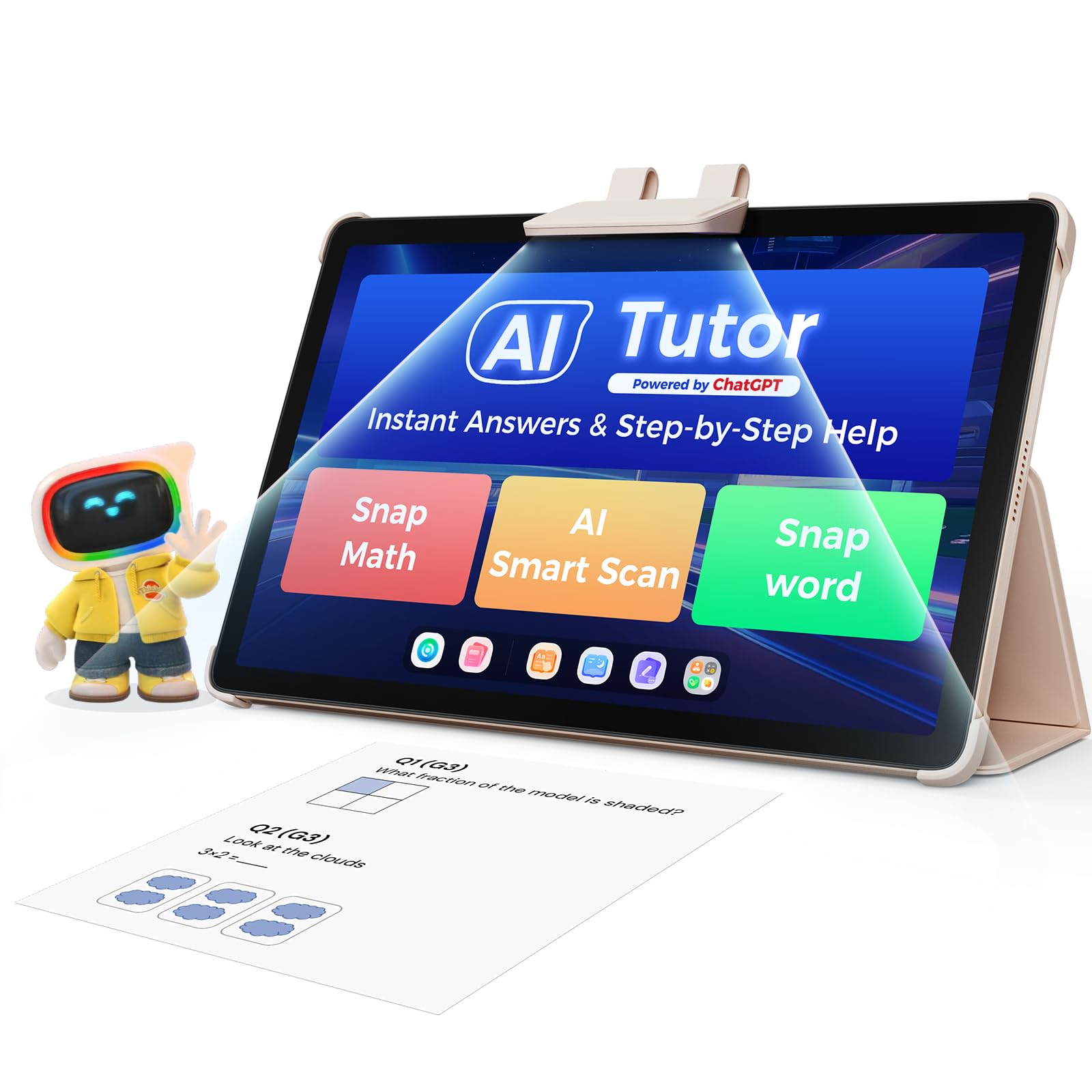
The TalPad T100 stands apart with a dedicated AI tutor that adjusts grade-level lessons in real time and provides feedback on 50,000+ practice questions. Unlike most kids tablets that lean on entertainment apps, this device is built around a structured curriculum for grades 1-6, with no YouTube or games to distract.

This tablet is best suited for homeschooling families who want a focused, screen-on learning tool with detailed progress tracking for parents. However, kindergarten content is missing, and some AI features can deliver inconsistent feedback — meaning younger children or those needing heavy tutoring supervision may find gaps. The Read Along feature, originally advertised, is no longer supported, so that particular learning path is unavailable.

Tip: For smoother performance, keep the device storage under 80% full and close background apps between subjects.

Bottom line: For homeschoolers looking for a structured curriculum that provides instant feedback and progress tracking, the TalPad T100 delivers a focused learning environment — just verify that the missing kindergarten content and discontinued Read Along feature don't affect your child's needs.

#7

ApoloSignage Kids 10"

ApoloSignage Kids 10"

Cheap 10-inch

Doodle Score 8.0/10
Check Price

Worth Noting

  • Battery life under typical use may be less than half the advertised 6-hour claim
  • Touchscreen can develop unresponsive sections, affecting app usability
Screen Size
10.1" 1280x800
Battery Life
Up to 6 hours claimed
Parental Control
Google Kids Space
Preloaded Content
Google Kids Space
Read the full review

The ApoloSignage Kids Tablet delivers a 10.1-inch IPS screen and Google Kids Space at an entry-level price, making it a low-cost way to introduce a young child to Android apps and educational content. Touchscreen responsiveness can develop unresponsive zones over time, and battery life under regular use may fall to about half the advertised duration — factors that make this a better fit for families who are comfortable with possible early replacement rather than those needing a consistent daily driver.

Bottom line: Best suited as a low-cost starter tablet for occasional use, where a potential replacement within a few months is acceptable.

How to Choose

Screen Size and Display Quality

Larger screens are better for interactive learning but heavier for small hands. A 10-inch tablet offers more room for drawing and reading but may be too bulky for a 3-year-old to hold comfortably. Resolution matters for text clarity: 1080p displays make reading easier on the eyes than 720p or 600p screens.

For ages 3-7, an 8-inch screen often strikes the best balance between visibility and portability. Older children can handle a 10-inch without issue. If the tablet will be used mainly at a desk or in a stand, larger is fine; if carried around, consider the weight.

Battery Life and Charging Reliability

Advertised battery life is measured under ideal low-brightness, moderate-use conditions. Real-world use with video streaming, games, and high screen brightness can cut that number by 30 to 50 percent. A tablet claiming 13 hours may deliver only 6-8 hours after a few months of use.

Lithium-ion batteries degrade fastest when charged to 100% every cycle and exposed to heat. Partial charges between 20-80% extend lifespan. Some tablets develop charging port issues after months; a strong warranty covers that. Look for tablets with USB-C ports, which are more durable than micro-USB.

Parental Control Depth and Ease of Use

Amazon's parental controls are the most integrated: you can set time limits, filter content by age, block web browsing, and monitor activity from a parent dashboard. Android tablets with Google Kids Space require more manual setup and lack the same depth of content filtering.

The key difference is whether the controls are app-level or system-level. App-level controls can be bypassed by a tech-savvy child. System-level controls like those on Amazon Fire tablets lock the entire interface. For toddlers, system-level controls are safer and less frustrating.

Durability and Warranty

A kid-proof case is essential but not foolproof. Many cases leave the screen exposed, and drops can still cause cracks. The 2-year worry-free replacement guarantee on Amazon Fire Kids tablets is unique in this category: it covers any accidental damage, including cracked screens, with no questions asked. That is the single strongest safety net.

Other tablets often come with a standard 1-year warranty that covers defects but not accidents. Budget Android tablets rarely offer accidental damage coverage. Without a replacement guarantee, a tablet that breaks in month 11 becomes a total loss. Prioritize warranty over specs.

Preloaded Educational Content and App Ecosystem

Amazon Kids+ includes thousands of ad-free books, videos, and learning apps designed for different age groups. The first year is included with the tablet, after which it costs a monthly fee. This content is curated and safe, reducing the need for parents to vet apps individually.

Dedicated learning tablets like the TalPad come with a structured curriculum of 50,000+ practice questions and AI tutoring. These are best for homeschooling families. Tablets without preloaded content rely on the Google Play or Amazon Appstore; you must manually install and approve every app, which takes time.

Frequently Asked Questions